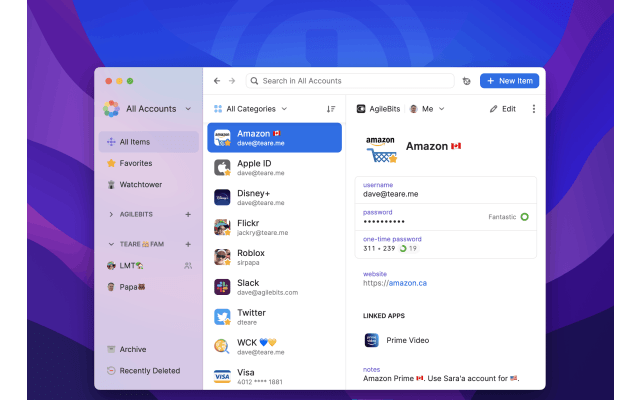
1Password 8.12.32 for Mac: Native AutoFill and 1Password for Claude
Published: Tuesday 11th August 2026
1Password for Mac 8.12.32, released on 11 August 2026, is one of the more significant updates to AgileBits' password manager this year. It lets 1Password act as a native macOS AutoFill provider, so it can fill and save logins in Safari and other apps through the system's own AutoFill, and it brings 1Password for Claude, which lets the Claude AI assistant sign in to websites for you without ever seeing your passwords. Two smaller releases since then have added useful refinements. If you use a Mac for university work, here is what changed and why it is relevant.
What's new in 1Password 8.12.32
1Password as a macOS AutoFill provider
1Password can now plug into macOS AutoFill directly, the same system Apple's own Passwords app uses. Once it is set up, username and password fields in Safari and in other Mac apps can be filled from your 1Password vaults, and new logins can be saved back to 1Password. 1Password's support guide explains that it also works with passkeys. To switch it on, go to 1Password's Settings, open Autofill and choose to set up macOS AutoFill. The guide also suggests turning off Apple's Passwords app as an AutoFill source so the two do not compete.
1Password for Claude
This feature lets Claude, Anthropic's AI assistant, log in to websites during a task when it is working in Chrome. When Claude reaches a sign-in page, 1Password shows you a prompt with the login it suggests. You approve the request, choose a different login or decline it. According to AgileBits' release notes, 1Password fills in the login or one-time code itself, so your credentials are never shared with Claude.
Smaller improvements
- Date fields in items now follow the date format set in your system settings, or the format for the language you have chosen in 1Password.
- 1Password now makes it clear when some changes are still waiting to sync, instead of looking as if it is offline.
- Fixes for Bitwarden identity imports, attachments dropped onto Document items, and Quick Access suggesting logins for a website you had already left.
Since then
- 8.12.34 (25 August 2026): you can add an account to the Mac app by approving it from 1Password.com, without typing your password or Secret Key again. The 1Password for Claude prompt now shows why Claude is asking for each item. Account details copied from the Manage Accounts pop-up no longer appear in clipboard history, and items that cannot sync now appear in an Offline Items section in the sidebar.
- 8.12.36 (8 September 2026): the SSH agent can now ask for approval on every SSH request, browsing large vaults is faster, and Autofill works better when 1Password is locked or not running in the background.
Earlier in the year, 1Password 8.12.0 (19 January 2026) added Dark Mode and clear icons to match macOS Tahoe.
Why it matters for students
- Fewer sign-in hassles across university systems: between your student portal, virtual learning environment, library databases, email and job applications, you probably have dozens of logins. Native AutoFill means 1Password can fill them in more places on your Mac, including apps that are not web browsers.
- Using Safari without giving up 1Password: if you prefer Safari for battery life on a MacBook, system-level AutoFill makes 1Password feel like a built-in part of it.
- Safer use of AI assistants: if you use Claude to help with research admin, such as gathering information from sites you have accounts on, 1Password for Claude lets it sign in without you pasting passwords into a chat. You approve each request, so nothing is filled without your say-so.
- Coding and computer science: the SSH agent option to approve every request is useful if you push to GitHub from coursework projects or connect to university servers, because it makes each use of your SSH keys visible.
- Protecting accounts that matter: student finance, bank and university accounts are common phishing targets. Filling logins only on the matching site, and storing passkeys, reduces the risk of typing a password into a fake page.
Requirements and upgrade details
- 1Password 8 for Mac requires macOS 12 Monterey or later.
- Saving and filling through macOS AutoFill requires macOS 14 Sonoma or later.
- 1Password for Claude requires a Mac, 1Password for Mac and the 1Password browser extension at version 8.12.28 or later, the Claude desktop app, Claude in Chrome, and a paid Claude plan (Pro, Max, Team or Enterprise). On business accounts, an administrator must turn on the relevant policy.
- Updates to 1Password 8 are included with a 1Password subscription at no extra cost.
Get 1Password with a student discount
Student App Centre members get 50% off 1Password. Visit our 1Password student discount page to claim it. New members can start with a 7-day free trial of Student App Centre membership.