Default Folder X 6.3: macOS 27 Support, Pinned Recents and More
Published: Sunday 13th September 2026
St. Clair Software released Default Folder X 6.3 on 13 September 2026. The update adds support for macOS 27 Golden Gate, lets you pin recent files and folders so they stay in your menus, shows more useful information below Open dialogs and improves how Finder tags are handled. For anyone who opens, saves and files dozens of documents a day, including students managing coursework across many modules, 6.3 is a solid reason to update.
What's new in Default Folder X 6.3
Default Folder X enhances the standard Open and Save dialogs on the Mac. It adds menus for recent and favourite folders, lets you jump to any open Finder window from inside a dialog, and puts file information, tags and quick actions a click away. Version 6.3 refines those features rather than reinventing them.
macOS 27 support
The most practical change is compatibility with macOS 27 Golden Gate. Because Default Folder X works so closely with system dialogs, it needs updating for each major macOS release, and St. Clair Software has shipped 6.3 in time for it.
Pinned recent items
Recent files and folders can now be pinned so they don't drop out of the menu as you open other things. Highlight a recent item in its menu and press Shift to pin it; do the same again to unpin it. It's a lightweight alternative to adding a folder to your Favourites when you only need it for a few weeks.
A more useful Info pane
- Copy paths quickly: clicking the path shown in the Info pane under an Open dialog copies it and confirms the copy with a small popover.
- Where a file came from: if a file carries a "Where from" attribute, typically a download's source, it's shown in the Info pane.
Tags and filing
- Tag sorting: existing Finder tags can be sorted by name or by date in the Tags pane below Open and Save dialogs.
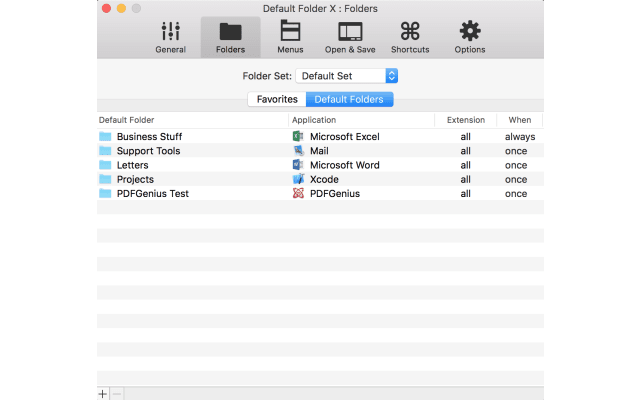
- Folder sets when moving files: after dragging an item to Default Folder X's menu bar icon, or using its Move, Copy or Alias services in Finder, you can switch folder sets while choosing where it goes. The Folder Sets menu needs to be added to your menu configuration first.
Better behaviour alongside other utilities
The Finder-click feature no longer covers windows that float above Open and Save dialogs, so drag-and-drop shelf apps such as Dropzone, Dropover and Unclutter work properly with it. AppleScript users also get a new argument for the copy and move commands to limit them to a particular menu. The 6.3 release notes list a long run of bug fixes too, including a hang when adding folders in Settings, settings not being saved before a restart, excess iCloud sync traffic and a crash in the Focus filter. Automatic download and installation of updates has been removed, as the developer found it couldn't be done without an equally intrusive relaunch prompt.
Why it matters for students
Coursework generates a lot of files: lecture slides, readings, drafts, data sets, figures and submissions, usually spread across a folder per module and a cloud drive or two. Every time you save or attach something, you go through an Open or Save dialog, and that's where Default Folder X saves time.
- Pin this term's folders. Pinning recent folders is ideal for the handful of assignment folders you use constantly for a few weeks, without cluttering your permanent Favourites.
- Cite and reference more easily. Seeing where a downloaded PDF came from helps when you need to trace a source for a bibliography, and copying a file's path is handy for coding assignments or data analysis scripts that need an exact location.
- Organise with tags. If you tag files by module or status, such as draft or submitted, sorting tags by name or date makes applying them in a Save dialog quicker.
- Folder sets per project. Folder sets let you keep separate favourite folders for, say, your dissertation and your taught modules. Being able to switch sets while moving files helps keep downloads filed in the right place.
- Keep working after upgrading macOS. Students who update to macOS 27 can keep using their workflow without waiting.
Requirements and upgrade details
- Default Folder X 6.3 runs on macOS 10.13 through macOS 27 and runs natively on both Intel and Apple silicon Macs.
- The update is free if you have a Version 6 licence, or any Default Folder X licence bought on or after 1 March 2023.
- Older licences need a paid upgrade to version 6: $9.95 for licences bought between 1 September 2022 and 1 March 2023, and $19.95 for anything earlier.
- A free 30-day trial is available from St. Clair Software.
Get Default Folder X with a student discount
Student App Centre members get 40% Off Default Folder X, a worthwhile saving on a utility you'll use every time you open or save a file. Claim it from the Default Folder X student discount page. Not a member yet? Try Student App Centre free for 7 days and use the discount straight away.