Setapp Single-App Purchases: What's New for Students
Published: Tuesday 3rd March 2026
On 3 March 2026 MacPaw made the biggest change to how Setapp works since the service launched: selected apps can now be bought or subscribed to on their own, without the all-apps membership. More than 60 apps took part at launch, each with its own mix of monthly, yearly and one-time purchase plans. If you have ever skipped Setapp because you only wanted one or two tools from its catalogue, or you are weighing up a membership for the academic year, this update changes the maths.
What's new in Setapp's single-app purchases
Until March, Setapp was a single subscription: pay for the membership and use everything in the library. The new model keeps that membership but adds a second route in. According to Setapp's support documentation, individual apps can now be bought through your Setapp account in one of three ways, depending on what the developer offers.
Three ways to pay for one app
- Monthly subscription: useful for a tool you need for a single project or term.
- Yearly subscription: a lower commitment than full membership if one app is all you use.
- One-time purchase: a permanent licence, with future updates included at no extra cost.
Not every participating app offers all three. Billing options are set per app, so the choice you see depends on the developer.
Which apps are included
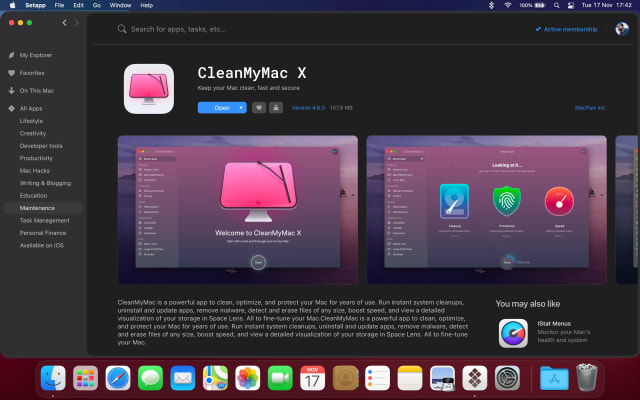
MacPaw's announcement named Bartender, Downie and AlDente Pro among the third-party apps taking part, alongside its own CleanMyMac, Moonlock and Gemini 2. MacPaw described the change as a first step towards turning Setapp into a more open marketplace, with more apps to be added over time.
How it works in practice
There are some details worth knowing before you buy. A single app only works, and only receives updates, while the Setapp desktop app is installed on your Mac. Every device using the app has to be signed in to the same Setapp account, and the number of devices allowed varies by developer. Setapp also advises against deleting your account, even if you stop using it, because your purchases are tied to it. Finally, single-app purchases currently cover macOS only; iOS versions still require the full membership.
Since then
MacPaw has continued in the same direction. In May 2026 it announced new marketplace options that let developers offer apps outside the membership altogether, plus an AI Gateway: a single API layer that gives developers access to models from providers such as Google and OpenAI. Days later, on 26 May, MacPaw released a set of small, single-purpose apps on Setapp: Refolder, which sorts folders automatically; Pinchbar, an AI clipboard tool for copying, transforming and pasting text; and a text-to-speech app built with Respeecher. MacPaw says it will judge these experiments over two to three months before deciding whether to develop them further, fold them into its Eney assistant or retire them.
Why it matters for students
The single-app option gives you a clearer way to decide what you actually need. A few examples:
- One essential tool: if all you want is a battery-health utility such as AlDente Pro to protect a laptop that has to last your whole degree, or CleanMyMac to keep an ageing MacBook running, a single-app plan may be enough.
- A toolkit for coursework: if you use several apps across the week, for example a menu bar organiser, a downloader for lecture recordings you are permitted to save, a PDF editor and a focus timer, the full membership usually makes more sense than paying for each app separately.
- Beyond graduation: a one-time purchase keeps working after your studies end, which suits a utility you expect to use for years.
- iPhone and iPad users: because single-app purchases are Mac-only for now, students who rely on the iOS versions of Setapp apps for reading or note-taking on the move will still want the membership.
A sensible approach is to use a trial to find out which apps you open every day, then decide whether one app or the whole library fits your routine.
Requirements and upgrade details
- The current Setapp desktop app requires macOS Big Sur 11.0 or later and around 300 MB of free space.
- Macs running macOS 10.13 to 10.15 receive an optimised version that only gets security updates and may lack newer features.
- Each app in the catalogue has its own macOS or iOS requirements, listed on its Setapp page.
- Single-app purchases are made through your Setapp account and need the Setapp desktop app installed to keep working and updating.
Get Setapp with a student discount
Student App Centre members get 20% Off + 30 Day Free Trial on Setapp, which is a good way to test the full library before choosing between membership and single apps. See the details on our Setapp student discount page. You can also try Student App Centre itself with a 7-day free trial of membership.